
Navigation Lights Control
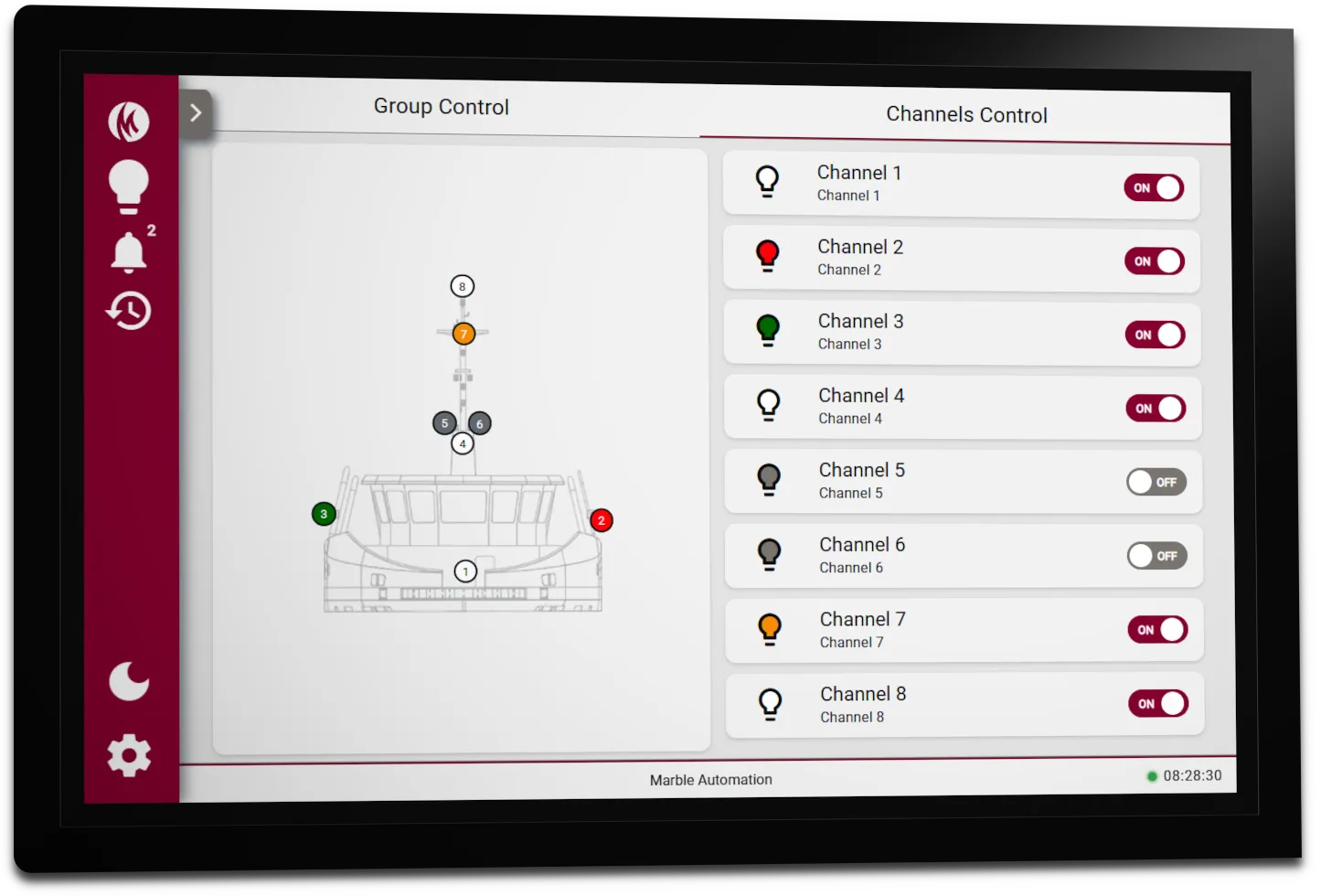
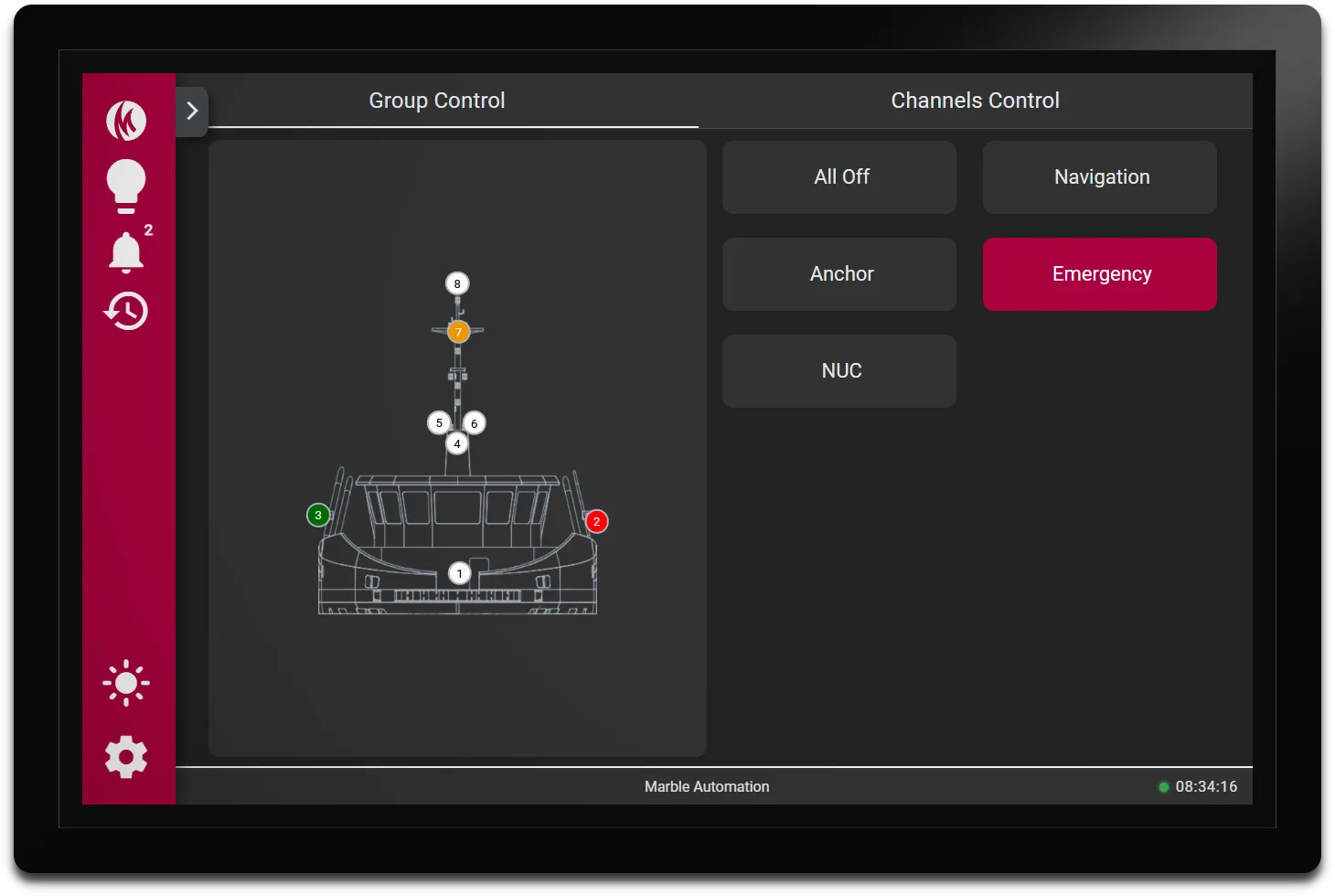
The MS225 HMI gives bridge officers full control over all navigation lights from a single touchscreen panel. An interactive ship visualization shows the exact position and live status of every light, clear right away and without any technical knowledge.
Switch individual lights on or off, or choose from pre-configured light groups to activate an entire set of lights in one tap. Groups are fully configurable to match the vessel’s specific requirements.
Interested? Leave your details and we'll contact you

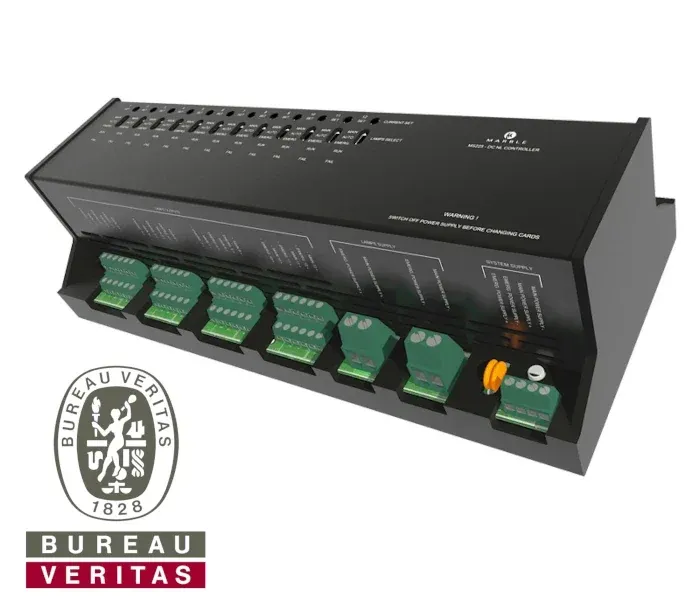
Complete navigation light control from a single touchscreen panel
A touchscreen panel running our custom-built software, directly connected to the MS225 navigation light controller. The MS225 takes care of the full control and monitoring of all navigation lights on board, while the panel provides a clear and user-friendly interface for daily operation and easy configuration.
- 24/7 monitoring and alarms on every lamp
- DC and AC: available in two versions
- MSC.253(83): fully compliant
Alarm Monitoring
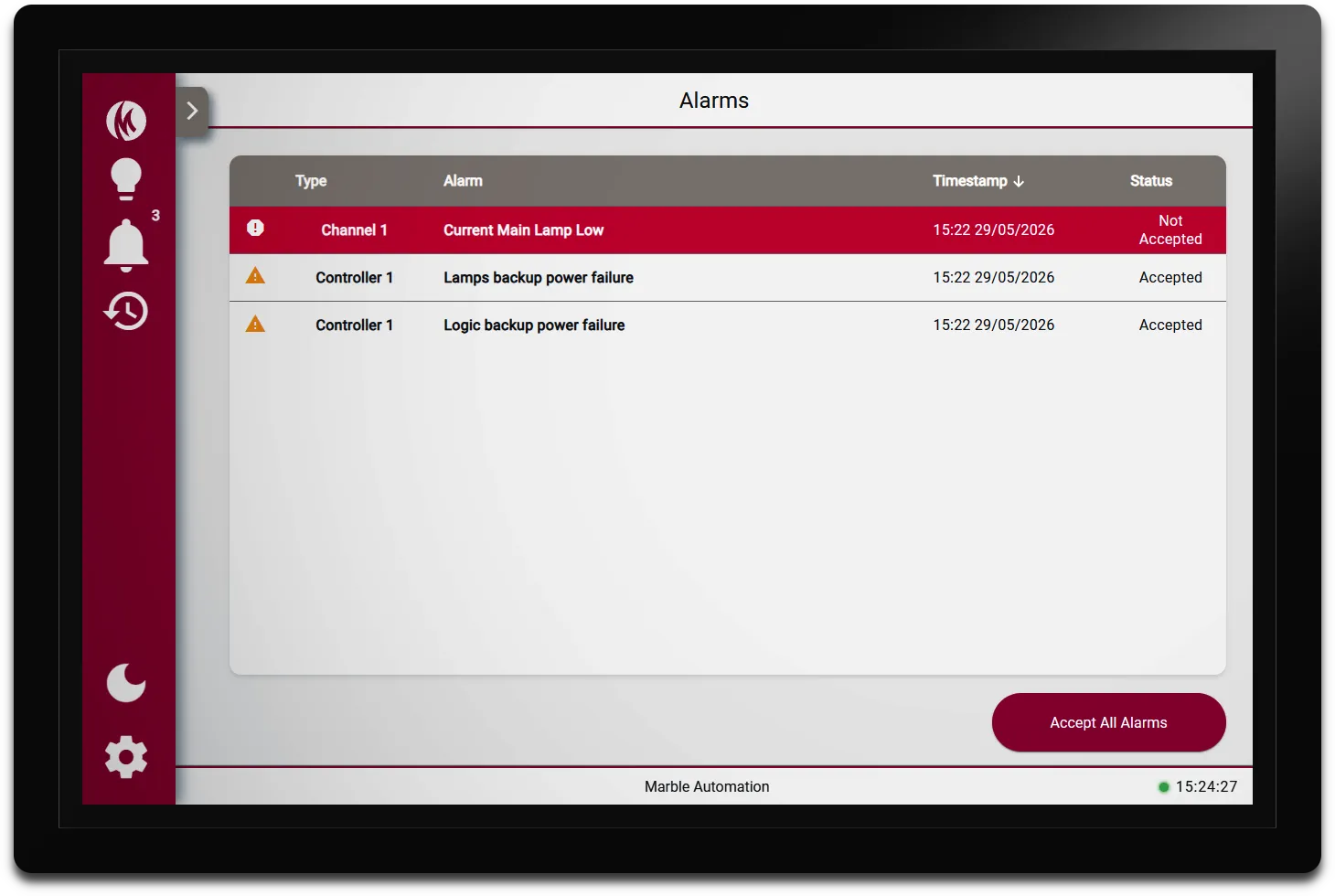
The MS225 HMI provides a clear real-time overview of all active alarms. Each alarm displays the source, description, timestamp, and whether it has been accepted. Critical alarms are immediately highlighted in red, warnings in orange, so the operator always knows what requires attention.
Alarms can be accepted individually or all at once, and a running count in the navigation bar ensures nothing goes unnoticed, even when on a different screen.
Configuration & Settings
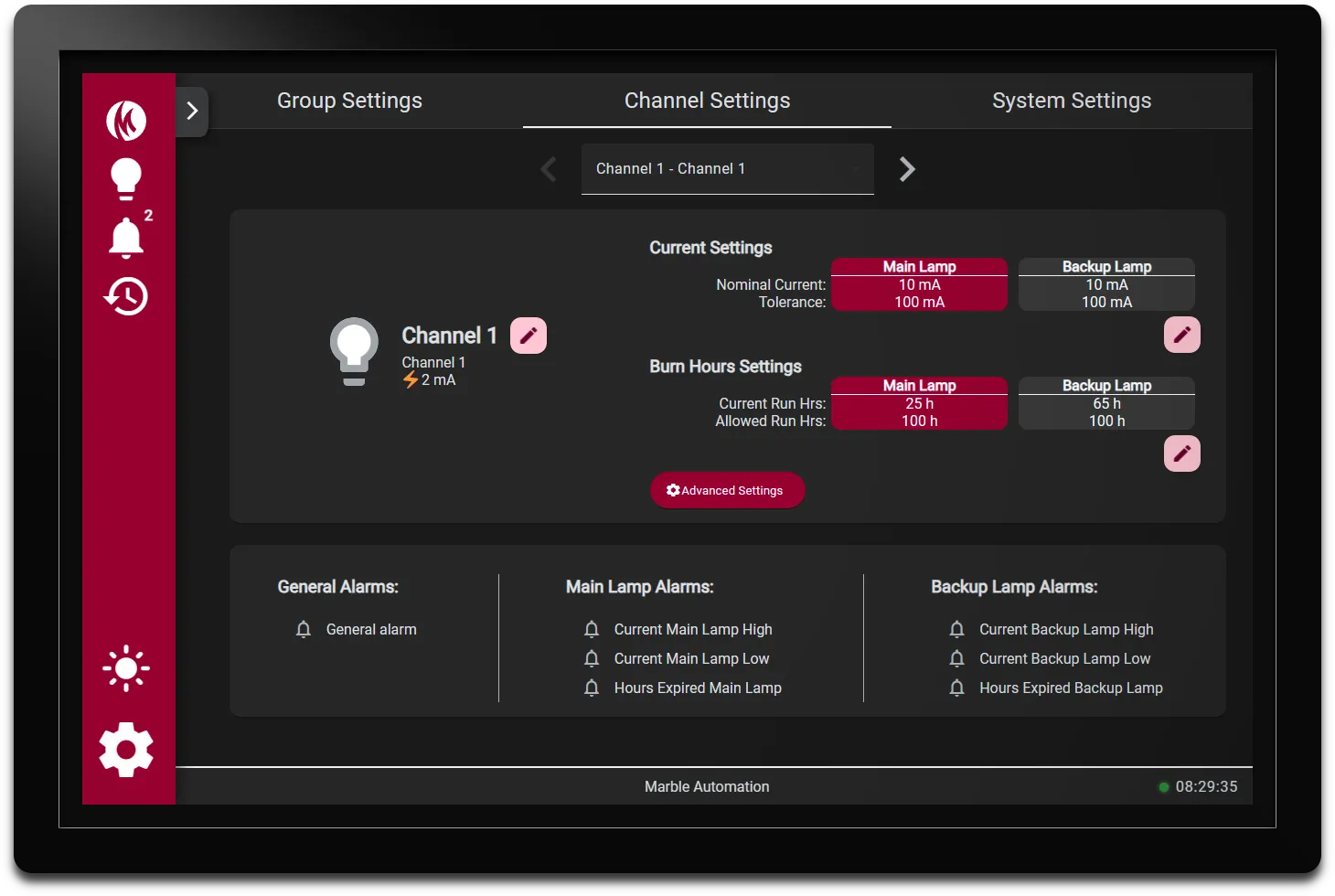
The MS225 HMI includes a password-protected settings section for technician configuration. Each channel can be set up individually, including the channel name, nominal current, and tolerance for both the main and backup lamp. Burn hours are tracked per lamp and an allowed maximum can be configured, ensuring timely maintenance.
All alarm types are set per channel, covering lamp current deviations and expired burn hours for both main and backup lamps. Group presets and system settings such as IP address and device name are also managed from within the same interface.
Control
The MS225 HMI gives bridge officers full control over all navigation lights from a single touchscreen panel, with an interactive ship visualization showing the exact position and live status of every light in one view.
Lights can be switched individually, or activated in groups with a single tap, and the groups are fully customizable. Color-coded status indicators make it instantly clear which lights are on, off, or in fault, giving the operator complete situational awareness at all times.
 English
 Nederlands